Wednesday, April 28, 2010
Thing #19
Well I have treaded new waters, I've joined Facebook, Teacher Pop and created a blog account, all in the last 6 months. I'm still kind of uncomfortable with having my information on the internet. I have found so many programs that I plan to use in the future, but I think I done for now with joining online communities.

Sunday, April 25, 2010
My Thoughts Summarized...
My favorite discoveries were the avator, blogspot, comic generator, IGoogle, and Animoto. I have learned so much; I hope to retain it and pass it on to my students.
My life long learning goals have changed, I want to keep up with technology now more than I did before. I realize that technology is important in reaching our students.
I was so surprised that I made it to this point, I was afraid to miss any classes, and I didn't. I didn't want to miss anything.
I would require my class to complete two things per week. I am a proscratinator.
I think this course has had a profound effect on me, I will be better equipped to assist my student through the use of technology.
Through education, blogs and continue use of things I learned in this course I hope to keep abreast of Web 2.0.
My life long learning goals have changed, I want to keep up with technology now more than I did before. I realize that technology is important in reaching our students.
I was so surprised that I made it to this point, I was afraid to miss any classes, and I didn't. I didn't want to miss anything.
I would require my class to complete two things per week. I am a proscratinator.
I think this course has had a profound effect on me, I will be better equipped to assist my student through the use of technology.
Through education, blogs and continue use of things I learned in this course I hope to keep abreast of Web 2.0.
Thing #23
Attribution of APSU 23 Things:
*Note: This project is loosely based upon the website 43Things (which allows you to set and track personal goals) and the Stephen Abram article titled 43 Things I (or You) might want to do this year (Information Outlook - Feb 2006).
Also posted in the credits:
Credits
Learning 2.0 - 23 Things for Teachers is based on Learning 2.0 - 23 Things, a staff development program for the Mesquite Independent School District. That program was based on the Learning 2.0 program that was designed by Helene Blowers and adapted by the California School Library Association and others. Content and style for Learning 2.0 - 23 Things for Teachers has been borrowed and duplicated with permission, under a Creative Commons License.
Now that I know about Creative Commons Licensing, I will pass this on to my students. In this day and age of technology it is important that students understand about copyright laws. They must understand what they can and cannot use, and how to give credit to the source.
*Note: This project is loosely based upon the website 43Things (which allows you to set and track personal goals) and the Stephen Abram article titled 43 Things I (or You) might want to do this year (Information Outlook - Feb 2006).
Also posted in the credits:
Credits
Learning 2.0 - 23 Things for Teachers is based on Learning 2.0 - 23 Things, a staff development program for the Mesquite Independent School District. That program was based on the Learning 2.0 program that was designed by Helene Blowers and adapted by the California School Library Association and others. Content and style for Learning 2.0 - 23 Things for Teachers has been borrowed and duplicated with permission, under a Creative Commons License.
Now that I know about Creative Commons Licensing, I will pass this on to my students. In this day and age of technology it is important that students understand about copyright laws. They must understand what they can and cannot use, and how to give credit to the source.
Thing #21
This was way too simple. The Animoto cite was very user friendly. I chose some of my pictures and used their music and they did the work. I thoroughly enjoyed it. I could definitely use this at school and home.
Create your own video slideshow at animoto.com.
Thing #22
I listened to Doc's Computer Zone Episode 102: Touching up photos with PhotoShop, Podcasting, and Sci Fi DVDs. It was very informative and interesting, the commercials took me by surprise though. I like the Education Podcast Network, I didn't like the Podcast Network, not all the links worked and it wasn't as user friendly. I don't know that this has inspired me to create a podcast for my class, because I don't like to hear my own voice. I know it sounds strange. I didn't subscribe to a Podcast, but if I were to subsribe, it would probably be to "Instructional Technology Podcasts".
My link to Doc's Computer Zone Episode 102 is on my sidebar.
My link to Doc's Computer Zone Episode 102 is on my sidebar.
Thing #20
I like youtube.com, but you have to use it with caution. I was initially searching for educational videos when I discovered they had computer videos. I found some tutorials on how to build PCs and how to repair your PC. I recently bought some more ram for my old PC, so I found a video on "How to Upgrade Your Ram" by PC World. Just in case anyone is interested I posted the video.
Thing #18 Facebook
I think facebook has become more popular than myspace. I recently started a facebook account. I was hesitant initially because I thought it was for kids or younger people. However, I have found many old friends on facebook. It's a great way to communicate and engage the students. Gosh, you could post assignments and instructions on there. Great way to keep parents updated. Visit me on facebook (link).
Thing #17
The delicious site was interesting. The tags and bookmarking created organization so that you are not searching for long period of times. I like the idea of building a shared reading list, something that we could definitely use in the classroom.
Thing #16


Thing #15
I would like to create a Beach Lover's Wiki if I had more time. My friends and followers could add pics and suggestions for places with beatiful beaches. I added my pic from flickr of the picture of Paradise Island. I am a beach nut. I love the view; it's so calming. Just wh at I need after final exams.


Thing #14
I created a family tree in bubbl.us and added the option to share, so that if in the future I wanted to send it to different family members to complete it. I created a flow chart at gliffy.com, it didn't require me to sign up. I did a flow chart on pretend company using the basic shapes, line tools and the network. The networks had cell phones, pda, laptops, and other devices. I could also build a classroom or even a house.

Thing #13
The zoho writer was nice. I like that all the action keys are readily available on the page; it's very user friendly. I agree it's great for the classroom. Easy to use and your documents are readily available no matter where you are. I created a faux letter of interest and posted it to my blog.

Dear 0425
April 25, 2010
Dear Sir or Ma'am:
I am applying for the position of Public Relations Officer. I have been working in the Public Relations department of Kroger for 5 years. Since coming to the company I have implemented many great ideas that have been very lucrative for the company. I graduated from Austin Peay State University in 2005 with a Bachelor of Arts degree in Public Relations. I will be continuing my education this fall, pursuing a Master's degree in Public Relations. I look forward to meeting with you soon.
Respectfully,
Stephanie Youngblood
Sunday, February 28, 2010
Thing 12
Thing #12 Discovery Exercise
iGoogle is great, fantastic, and so much more. I already had my iGoogle, so I added stuff to it, a to do list, weather, news, tv guide, movies, scrabble, who has the biggest brain and super cook (http://www.supercook.com/). I'm really loving the super cook, I can do this before I leave work to plan dinner. I added two alerts: education and entertainment.
The to do list and notebook would be great for students as planner and journal. Using tools online could be the motivating factor in getting students to reflect and keep track of assignments.
I also set up the picasa album, this would also be an asset in the classroom. Picasa can used for power point presentations, movies, and other projects.
iGoogle is great, fantastic, and so much more. I already had my iGoogle, so I added stuff to it, a to do list, weather, news, tv guide, movies, scrabble, who has the biggest brain and super cook (http://www.supercook.com/). I'm really loving the super cook, I can do this before I leave work to plan dinner. I added two alerts: education and entertainment.
The to do list and notebook would be great for students as planner and journal. Using tools online could be the motivating factor in getting students to reflect and keep track of assignments.
I also set up the picasa album, this would also be an asset in the classroom. Picasa can used for power point presentations, movies, and other projects.
Thing 11
Thing #11 RSS Feeds cont'd...
I added several feeds, after exploring technorati, I may add more later. I chose the Free Technology for Teachers based on the suggestions. I discovered Clarksville online via the google search blog, I was initially searching for something about Clarksville Montgomery County School System when I came across the Clarksville site.
Although I viewed other sites, again, I went with the google search tool. Simply because of familiarity and saving the time of registering for another account.
The most challenging part of managing the feeds was deleting the feeds that I added in error. It was a trial and error process.
While searching for the NEA Today feed, I came across a NEA Video site, which was totally not what I though it was. I discovered my Google home page and I was able to change the theme settings. Also the amazon widget was very interesting, I'll probably look into that further at a later date.
I added several feeds, after exploring technorati, I may add more later. I chose the Free Technology for Teachers based on the suggestions. I discovered Clarksville online via the google search blog, I was initially searching for something about Clarksville Montgomery County School System when I came across the Clarksville site.
Although I viewed other sites, again, I went with the google search tool. Simply because of familiarity and saving the time of registering for another account.
The most challenging part of managing the feeds was deleting the feeds that I added in error. It was a trial and error process.
While searching for the NEA Today feed, I came across a NEA Video site, which was totally not what I though it was. I discovered my Google home page and I was able to change the theme settings. Also the amazon widget was very interesting, I'll probably look into that further at a later date.
Saturday, February 27, 2010
Thing 10
Thing #10
I chose the Google Reader because I already had a Google account. I'm also a google addict; I google everything. Everything was pretty simple, when I logged in I saw that the people I am following were already added because my google account and blogger.com are linked. I added some subscriptions and deleted some also. I don't believe I'll use it as much but it's there.
I chose the Google Reader because I already had a Google account. I'm also a google addict; I google everything. Everything was pretty simple, when I logged in I saw that the people I am following were already added because my google account and blogger.com are linked. I added some subscriptions and deleted some also. I don't believe I'll use it as much but it's there.
Thing 9
I created this sign using the custom sign generator website, after several hours of blogging. I really, really love blogging.

Gotta keep your eye on the prize. I created this sign on the Happy Face Generator website, http://www.happyfacegenerator.com/.

I enjoyed creating signs on both sites. We could use these sites in our yearbook, web site design, excel and wordprocessing classes. I'm forwarding the comic generator site to my son. I can use the smiley faces to spruce up my emails.
Thing 8
For my thing #8 I used mosaic maker to make a 4 tiled photo of my family.



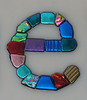















Created using Spell With Flikr by Erik Kastner.

Created using Spell With Flikr by Erik Kastner.
Thing 7
Flickr is a great site, I like it because of the photo editing feature. I will definitely keep this site in mind for future projects. I did a tag search for Paradise Island, the picture below is one that jarred a memory. My family and I visited Paradise Island while on vacation in the Bahamas. The picture had several tags Atlantis, Paradise, Island, Bahamas, and Nassau. The picture's author is scmikeburton.


Thing 6
I sampled several sites, I even registered for some of them. The site that I found most useful in the classroom was esnips (http://www.esnips.com/). This site allows you to upload your files (http://www.esnips.com/UploadAction.ns), which could be useful to students who need to save work and access it at a later time from a different location. This could eliminate the need for a jump drive. Esnips also offers blogging, educational videos, and game links. As with most websites, students should be monitored when using it.
Thing 5
What is Web 2.0 and why should I care?
Web 2.0 means is a part of so many things. It is update to what was the beginning of the information highway. 2.0 is an improved version of internet. It helps us to communicate with our students, colleagues, friends and love ones. We can see each other in realtime. The new version of the web is not only for research, it's paying bills, viewing your bank account, reading books, instant messaging and many other things. Thanks to new internet we can work and attend school without ever leaving our homes. We can listen to the latest songs and watch movies.
I care about Web 2.0 because it will help us with our future, our students, and everyday lives. With 2.0 we can give our students access to books, pictures, music and information outside of our schools.
Web 2.0 means is a part of so many things. It is update to what was the beginning of the information highway. 2.0 is an improved version of internet. It helps us to communicate with our students, colleagues, friends and love ones. We can see each other in realtime. The new version of the web is not only for research, it's paying bills, viewing your bank account, reading books, instant messaging and many other things. Thanks to new internet we can work and attend school without ever leaving our homes. We can listen to the latest songs and watch movies.
I care about Web 2.0 because it will help us with our future, our students, and everyday lives. With 2.0 we can give our students access to books, pictures, music and information outside of our schools.
Friday, February 26, 2010
Thing 4
Commenting on blogs allows me to interact with fellow students outside the classroom. It also allows us to get to know each other. Commenting has helped me understand our assignments better because it requires me to thoroughly read the blogs.
Two points that I found important when reading about commenting were: invite comments and be humble. Inviting comments is good trigger mechanism for feedback. Being humble is just what it says; no one knows everything, be open to other views.
I chose to read blogs from Jerita, Tim, Debbie, Monica, Sam, Rachelle, and Chad. I selected them because most of them were previous classmates. I chose Jerita’s blog because she and I seem to have some things in common.
As I stated, Jerita’s blog caught my eye because of her bio and what she wrote in her blog. I was impressed with the results of Tim’s blog. Debbie’s blog was very informative and will be useful as a reference. Monica’s blog was very interesting because I’d never encountered anyone who uses Google Calendar, which I would be very apprehensive about using. I read Rachelle’s blog because it was about Thing 4; it gave me some understanding of what to do. Chad’s blog was very informative; it provided me with a better understanding of web 2.0.
Two points that I found important when reading about commenting were: invite comments and be humble. Inviting comments is good trigger mechanism for feedback. Being humble is just what it says; no one knows everything, be open to other views.
I chose to read blogs from Jerita, Tim, Debbie, Monica, Sam, Rachelle, and Chad. I selected them because most of them were previous classmates. I chose Jerita’s blog because she and I seem to have some things in common.
As I stated, Jerita’s blog caught my eye because of her bio and what she wrote in her blog. I was impressed with the results of Tim’s blog. Debbie’s blog was very informative and will be useful as a reference. Monica’s blog was very interesting because I’d never encountered anyone who uses Google Calendar, which I would be very apprehensive about using. I read Rachelle’s blog because it was about Thing 4; it gave me some understanding of what to do. Chad’s blog was very informative; it provided me with a better understanding of web 2.0.
Saturday, February 20, 2010
Thing #3
Blogging can be use to reflect on the day's lesson. It can tell teachers important information about their students.
Thing #2
Creating my Avatar was fun. I enjoyed putting her together and selecting her clothing. This reminded me of the days when I played with paper dolls and Barbies. Creating an Avatar can be fun way of expressing without writing.
Thursday, January 21, 2010
Thing #1 Life Long Learner
As long as you live you will continue to grow and learn. I believe everyone is a life long learner, you start from the day that you are born. You learn from your mistakes and from others. There are some many ways to learn, we each choose our own way.
Subscribe to:
Posts (Atom)
 Hi everyone, I thought you might enjoy this episode from Docs Computer Zone Podcast.
Click this link to check it out:
Hi everyone, I thought you might enjoy this episode from Docs Computer Zone Podcast.
Click this link to check it out: